Email Activation
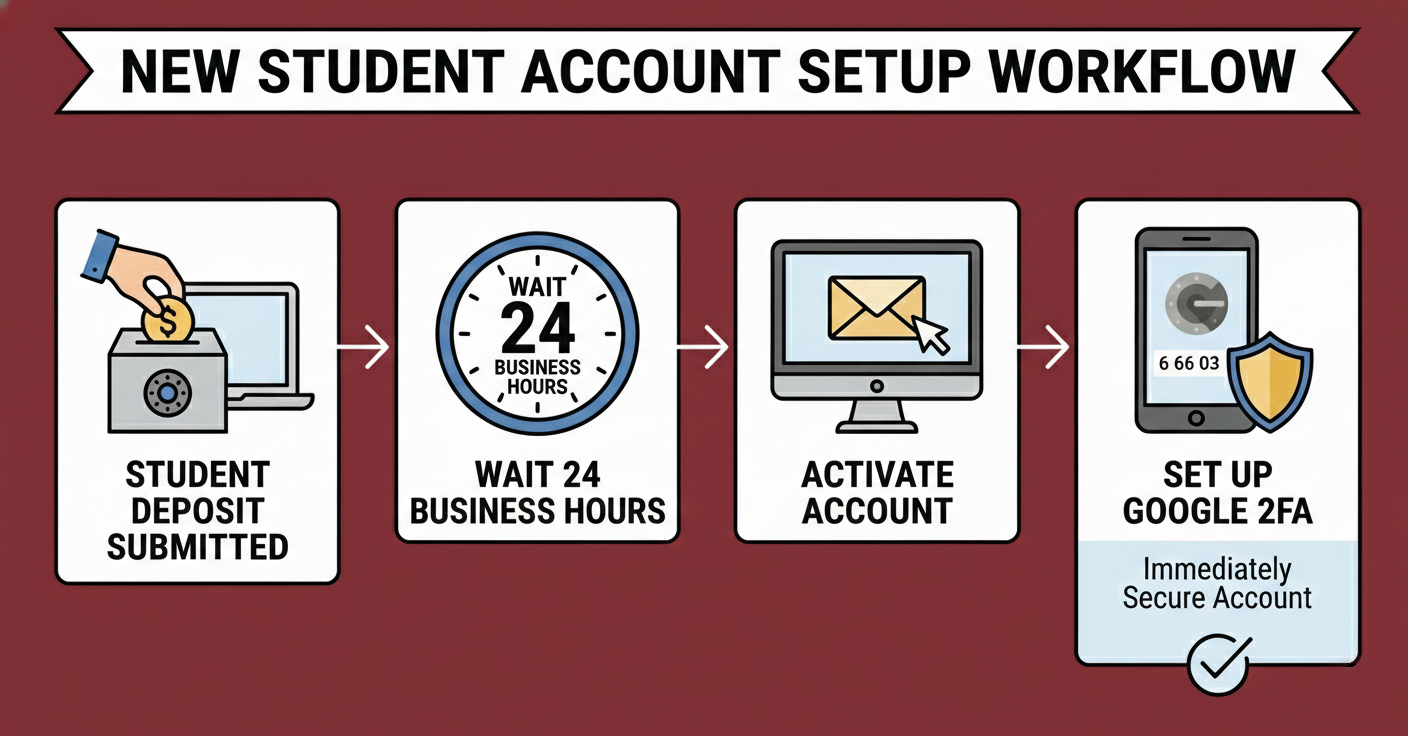
Are you a new student? Welcome to Ramapo! Once you have submitted your deposit, we ask that you wait one business day for our systems to update. After that, you should activate your email as soon as possible to avoid missing any important correspondence.
You will need your Ramapo R Number to complete the process.
Students: Your R Number will be located in your admissions portal.
Employees: If you are unsure of your Ramapo R number, please contact POER (Human Resources) at 201-684-7498.
Activate E-mail Account
Still unable to activate your account 24 hours after depositing? Contact the Help Desk and we’ll help you get started.
Email 2FA
MFA is REQUIRED for Ramapo Gmail.. When you log in from a new device, you will be prompted to verify your identity via the Gmail app on your phone.
IMPORTANT: Only “trust” devices you own. Do not save login info on public or shared computers.
Click here for step-by-step 2FA Instructions
Gmail App for iPhone
Use this link to skip to step 3:

Step 1: Open the App Store

Step 2: Search for Gmail
Step 3: Download the App
- Tap Get.
- Confirm with Face ID, Touch ID, or Apple ID password.
- Wait for the app to download.
Step 4: Open Gmail & Sign in
- Tap Open, or find the Gmail icon on your Home Screen.
- Tap Sign in.
- Enter your Ramapo email address and password.
- Approve any permission prompts
Gmail App for Android
Use this link to skip to step 3:

Step 1: Open the Google Play Store
Step 2: Search for Gmail
Step 3: Install the App
- Tap Install.
- Wait for the app to download and install
Step 4: Open Gmail
- Tap Open in the Play Store
- Find the Gmail icon on your Home Screen or App Drawer.
Step 5: Sign in
- Tap Sign in (if prompted)
- Enter your Google email address and password
- Accept sync and permission prompts