Contact
Public Safety Contact Information
Academic Complex C-Wing, C-102 (ground floor)
p: (201) 684-6666
e: publicsafety@ramapo.edu
Related Resources
Intranet Resources
RCNJ Alerts is Ramapo College’s mass notification system designed to keep you informed, prepared, and safe during emergencies, severe weather, and other critical incidents. Students, faculty, and staff are automatically enrolled in RCNJ Alerts, but verification of your information in the system is quick and easy!
RCNJ Alerts Login for Students, Faculty & Staff
Visit the RCNJ Alerts Login to verify your account information.
- Use your Ramapo College username and password to access the system.
- If your profile needs an update, click “Edit Profile” on the top right of the screen.
- Make sure you click “Save/Finish” at the bottom of the page after your edits are complete.
- If your account is up-to-date, all you need to do is log out of the system by clicking on the grey silhouette in the top right area of the screen.
Once you’ve verified, you should be all set to receive emergency alerts from RCNJ Public Safety.
Visitors and Guests
To receive emergency notifications from Ramapo College of New Jersey, you may enroll in RCNJ Alerts by texting:
Join RCNJ-Alerts to 58339
You will receive emergency notifications for 20 hours after joining. After that period, you will automatically stop receiving alerts. For more information, contact RCNJ Public Safety at publicsafety@ramapo.edu.
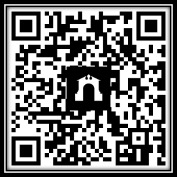
You may also scan the QR Code below to enroll:
Download the Regroup app for RCNJ Alerts
All members of the RCNJ community are encouraged to download the Regroup mobile app by visiting either the Google Play store for Android devices or the Apple App Store for Apple devices. The download and service are free, and this app lets you use enhanced safety features from RCNJ Alerts, including SecureTrack, TipSafe reporting, and instant Panic Alerts. You will also be able to set personal preferences on how you will receive notifications.
Why download the Regroup app?
- Allows RCNJ Public Safety to communicate directly to users during emergencies;
- Allows users to request emergency assistance instantly with one-click alerts for rapid response times;
- Enables students, faculty, and staff to share real-time feedback and updates using two-way messaging;
- Secure Track feature allows students, faculty and staff to share live location and safety status in real time. The system can automatically detect deviations or missed check-ins to support student and lone-worker safety.
Follow Public Safety